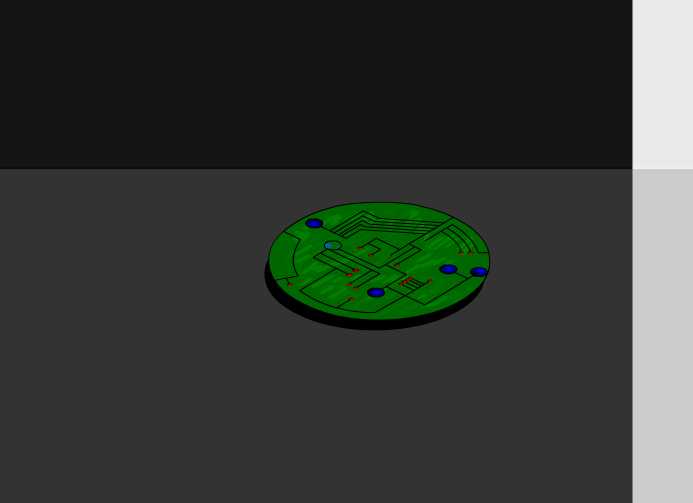
The Portable Document Format (PDF) is much more than just a substitute for paper. While printable documents are thought of as static, PDF can be dynamic and interactive, see for example these interactivity demos. In fact, since Adobe has acquired Macromedia, some convergence of PDF and Flash might be expected in the future. But if you go through my example on this page, it will be clear that PDF all by itself at this point in time has (almost) all the features a multimedia author could ask for.
The context of this page is the problem of how to prepare scientific/technical documents. If you have looked at my suggestions for doing scientific presentations using Apple's Keynote, you should be convinced by now that LaTeX is an essential ingredient for any computer-based talk with mathematical content.
In particular, I included some links to LaTeX-based PDF presentation tools that can do almost anything that Keynote can do, based on the power of Adobe Reader.
Traditional movies are essentially sequences of resolution-dependent (rasterized) images, with additional information on how fast to play the frames. But PDF is a format that can display both vector and raster graphics, where the big advantage of vector graphics is its resolution-independence. Therefore, movie formats with vector-graphics frames would be a natural choice for embedding into PDF. The most important such format is Flash SWF format. Based on the type of movie, we can then distinguish three distinct solutions:
Mpeg etc.)
SWF)
For all of these cases, LaTeX provides solutions. The first two are addressed by the movie15 package and its successor, media9. The last solution can be achievd by the animate package. We'll not discuss the latter on this page.
PDF movies can be displayed with Adobe Reader. In case you encounter problems, first make sure you have the most recent version of Adobe Reader. The Preview Application (on Mac) is not an alternative here because it does not handle multimedia plugins and JavaScript.
For Linux users running the latest version of Adobe Reader, the embedded movie will open in a separate window after you click on the "paper clip" attachment icon and agree to open the file.
Also note that you cannot use Linux acroread to display multimedia embedded with the help of this package. In KDE 4, you may be able to use Okular to view PDFs with embedded movies (unfortunately I can't currently test these features on Linux or Windows, only on Mac).
One more warning: we are using advanced features of PDF here, so you also need a recent version (>1.2) of pdflatex. The TeX-Live 2007 (and later) distribution contains movie15, whereas the tetex distribution doesn't. That's why you should no longer be using texlive.
File > Export Slide Show to Movie
Apple Universal mp4 output format works well when embedded in PDF (also works with media9 below).
Share and FIle > Export...480p produced .mov files that work with media9, see below.
convert which on my platform allows conversion to mpgeg (by automatically calling one of the programs mentioned before)..
For additional information, see the pages on making movies.
movie15 and media9 Packages
Although the movie15 package has been declared "obsolete" after the release of media9, I'll start by discussing movie15 because you're more likely to have it installed even if your TeX distribution is a little older. This package allows you to embed different kinds of movies (e.g., mp4, mov or swf) into a PDF document and have them play inside the displayed page, provided that you display the PDF with Adobe Reader. However, for any given movie format you want to appear in the PDF, you have to have an external movie player installed on your system.
This last point is where the newer media9 package differs from movie15: it relies on the fact that recent versions of Adobe Reader have Flash Player built in, so that external players don't need to be installed if you deliver the embedded movie wrapped in a flash "container." Of course, most computers nowadays do have players for a multitude of movie formats installed anyway; that's why I think it's still worth discussing movie15 first.
The examples here are best suited for a small, "bare-bones" presentation without much stylistic overhead. For the media9 approach, scroll down.
For several years, the way I've been putting movies into PDF presentations has been based on direct application of \pdfannot or \pdfmark - commands understood by pdflatex which allow you to write PDF code. The style movie15.sty by Alexander Grahn uses these commands to create a very flexible and user-friendly way to do this without having to leave the LaTeX level. This package is able to use the features of the newest Adobe Reader, including 3D virtual reality interactivity. Here, I'll address only traditional movie playback to keep things simple.
The method is best described by example.
Assume you have the following movie in MPEG or AVI format (I have an mp4 movie on this web page, but other formats also work):
pdflatex.
movie.tex) in the same directory as the movie, containing the following:
\documentclass[12pt,landscape]{article}
\usepackage{geometry}
\geometry{verbose,letterpaper}
\usepackage{movie15}
\usepackage{hyperref}
\begin{document}
Whispering-gallery mode in a quarter circle:
\begin{figure}[ht]
\includemovie[
  poster,
  text={\small(Loading Circle-m-increase3.mp4)}
]{6cm}{6cm}{Circle-m-increase3.mp4}
\end{figure}
\end{document}
The LaTeX file is downloadable by clicking here.
The \includemovie command is the crucial object here. Its last three arguments are the dimensions of the movie and the file name. The dimensions can be chosen arbitrarily and will cause the movie to be rescaled accordingly.
The commands related to geometry and landscape are not essential; they just turn the output page sideways for on-screen viewing. You should compile this file using the command pdflatex movie.
movie.pdf with Adobe Reader or Acrobat. The output file can also be downloaded by clicking here. The movie is automatically loaded and represented by its first frame ("poster frame"). Playback starts after you click on the picture and stops on the last frame. I didn't put in any visible movie controls because they appear to be buggy under Windows (thanks to Alexander Grahn for mentioning this). With Mac OS X, controls work fine, so you could add the option controls to \includemovie and obtain the same appearance as on this web page. Even without control buttons, one can always restart the movie by double-clicking on it (this applies to Mac; for Windows, you may just need a single click).
Observe one fascinating detail:
The movie itself is contained in the PDF file, instead of having to be shipped as a separate file. In other words, we have created something that deserves the name Portable Document Format. The caveat of course is that the movie (or any other multimedia content for that matter) will only play properly if the PDF viewer manages to find an external program that can read the embedded file format. That is why it is not advisable to use exotic or platform-specific video formats (e.g., .WMV) if you want to send your PDF file to other people.
This dependence on external video players is removed by the media9 package below.
Everything that was said above also applies if the movie you want to include is in Flash SWF format. As mentioned above, the big advantage is that Flash delivers vector animation inside your PDF document. An example file, movie-swf.pdf, shows the result of modifying the \includemovie line in our tex file as follows:
\documentclass[12pt,landscape]{article}
\usepackage{geometry}
\geometry{verbose,letterpaper}
\usepackage{movie15}
\usepackage{hyperref}
\begin{document}
Created by James N{\"o}ckel, January 6, 2008:
\begin{figure}[h!]
\includemovie[
  poster=FlashPoster.jpg,
  text={\Large\bf Click to start\hspace*{400pt}}
]{550pt}{400pt}{blendone.swf}
\end{figure}
\end{document}
This works on OS X provided you have installed the latest update of Adobe Reader (with version 9.1 installed, Adobe Updater provides a fixed version 9.1.2).
Since the poster frame (image shown before the movie is started) can't be found automatically for this Flash animation, I've inserted an image FlashPoster.jpg by hand. As above, you need Adobe Reader to play this movie. Version 8 is required, as is an up-to-date version of Flash Player. The animation blendone.swf was created by James Nöckel, Jan. 06, 2008. Please credit him if you distribute this file in any way!
Speaking of credit for authors of digital media: Adobe has recently announced enhanced digital-rights management capabilities for Flash. Other formats such as Quicktime already offer this, so there isn't really any surprise that Flash wants to offer it, too. The worry may be that Flash movies and games will therefore become less freely available. Looking at some of the Flash games that are out there, this may actually be a good thing... (take this page for example).
But the truth is that giving the author some control over what people do with his or her work should generally be a matter of common sense. It is not in itself a bad development, because authors who want to distribute their work for free can still do so with the same technology. And you wouldn't want to distribute free copies of a file if the author doesn't want you to, right?
media9
Since this package is newer, it's again advisable to check whether you have it installed. If you cannot typeset the file below, then your TeX distribution needs some updates. The TeXLive distribution that most people are now using on the Mac lets you do the necessary updates by simply entering the following commands:
sudo tlmgr update --self

sudo tlmgr update all
The following example again uses the flash animation blendone.swf with the poster frame FlashPoster.jpg, and the source can be downloaded as media9-swf.tex:
\documentclass{article}
\usepackage{media9}
\usepackage[english]{babel}

\begin{document}
\includemedia[
  activate=onclick,
 width=0.5\textwidth
]{\includegraphics{FlashPoster.jpg}}{blendone.swf}
\end{document}
Another example can be found in this post on mathematica.stackexchange.com, where I use a flash animation created by Mathematica.
media9
When I first tried to include the movie Circle-m-increase3.mp4 from the above example with media9, the embedded player was unable to display it. A simple fix for this is to run the movie file through Quicktime Player first: Choose File → Export... and select 480p as the format. If the exported file is called Circle-m-increase3a.move, you can now embed it in your PDF with this source:
\documentclass{article}
\usepackage[english]{babel}
\usepackage{media9}

\begin{document}

\includemedia[
  activate=pageopen,
  width=200pt,height=170pt,
  addresource=Circle-m-increase3a.mov,
  flashvars={%
src=Circle-m-increase3a.mov
&scaleMode=stretch}
]{}{StrobeMediaPlayback.swf}
\end{document}
The ouptut PDF file can be downloaded as autorunmov.pdf.
An alternative is to use `ffmpeg` to create an `mp4` movie that can be recognized by StrobeMediaPlayback. If you don't want to do this from the command line, use
Miro Video Converter with the Apple Universal mp4 output format.